
Quick answer
Use NAVER Map and Papago on almost every first trip to Korea. Add k.ride, CATCHTABLE Global, KORAIL+, Subway Korea, or Emergency Ready only when your itinerary needs taxis, restaurant bookings, intercity trains, detailed subway planning, or multilingual alerts.
Why do so many Korea guides tell you to install NAVER Map or KakaoMap when Google Maps works almost everywhere else? Korea’s local-map advantage comes from how the country regulates high-precision map data. The Korean Peninsula remains under the armistice established after the Korean War rather than a permanent peace agreement, and the government has treated detailed mapping as a national security issue.
That policy has focused on the exposure of military and security facilities, precise coordinates, and where original map data is processed. NAVER and Kakao built detailed local services within Korea under those rules. Google did not have the same access to high-precision Korean map data on its overseas servers, which limited some of the navigation experience familiar to travelers in other countries.
In February 2026, the Korean government conditionally approved Google’s export of 1:5,000-scale map data. The conditions include masking military and security facilities, processing original data on domestic servers before review, limiting exports to information needed for navigation, and excluding sensitive material such as contour lines. This opens the way for Google Maps to improve, but it does not make every feature identical overnight.
Quick answer: install two first, then add by itinerary
Start with these two:
- NAVER Map: your main tool for finding places and planning walking or public transport routes in Korea.
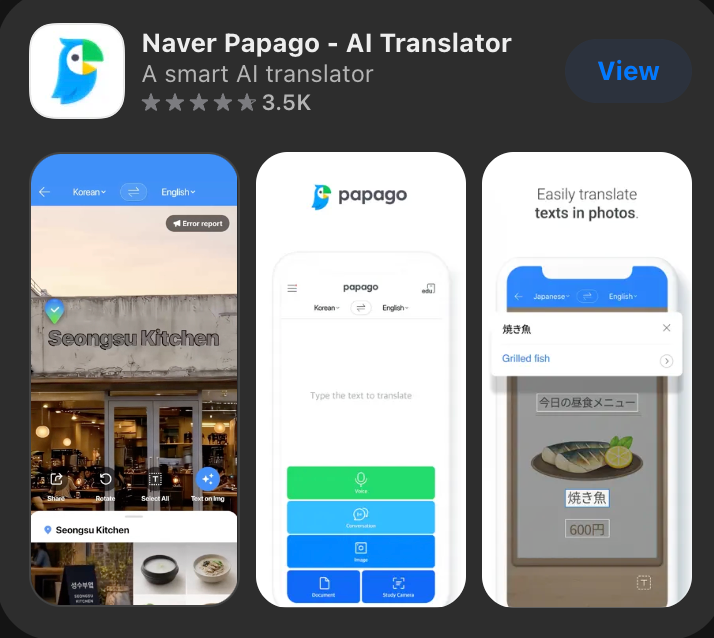
- Papago: your translation tool for menus, signs, short conversations, and Korean text you need to copy into another app.
Add these only when the trip calls for them:
- k.ride: for calling and paying for taxis through a visitor-facing service.
- CATCHTABLE Global: for participating restaurant reservations and waitlists.
- KORAIL+: for KTX and other KORAIL train bookings.
- Subway Korea: for dedicated subway maps, route and transfer options, first and last train times, and station details in major Korean cities.
- Emergency Ready: for multilingual disaster alerts and safety information.
KakaoMap can be a useful second local map. Google Maps can remain on your phone for familiar saved places and cross-checking, but do not assume that a 2026 policy announcement means every navigation feature has already changed. Test the exact walking and public transport routes you expect to use before the flight.
Compare the Korea travel app stack
| App | Best for | Set up before the flight | Watch out for | Skip it when |
|---|---|---|---|---|
| NAVER Map | Place search, walking routes, buses, subways, station exits, and saved lists | Change the interface to English and save your hotel, airport route, and first-day stops | English searches may still miss a place; keep the Korean name or road address | Do not skip it unless another local map has already passed your route tests |
| Papago | Menus, signs, short text, voice, conversation, and image translation | Download the Korean-English offline pack and allow camera access if you plan to translate signs or menus | Offline mode supports text and voice, not image or conversation translation | Skip only if another translator has passed Korean text, camera, and offline tests on your phone |
| k.ride | Taxi requests, translated destination search, driver chat, and registered payment | Create the account, verify your phone, add a card, and save the hotel in Korean | App support for foreign cards does not guarantee that every card will register | Skip if you will use street taxis or another taxi app that you have already tested in Korea |
| CATCHTABLE Global | Reservations and waitlists at participating restaurants | Sign in with Google, Apple, or email and search for the restaurants you actually want | The global service does not promise that every Korean restaurant will appear | Skip if your plans are casual, flexible, or mostly walk-in dining |
| KORAIL+ | Booking KTX and other KORAIL trains | Open the multilingual interface, search one planned route, and check whether your card reaches the payment step | Keep the official KORAIL website as a browser fallback | Skip for a Seoul-only trip with no KORAIL train |
| Subway Korea | Dedicated subway maps, route and transfer choices, first and last train times, station facilities, and exits | Select the city and language, then test one route you will actually use | It uses public timetable data, but service changes can still occur without notice | Skip if NAVER Map already gives you the subway detail you need |
| Emergency Ready | Multilingual disaster alerts and regional safety information | Select your language, regions, and alert settings | Alerts are useful only if language and region settings are correct | A very short visitor may choose not to install it, but should still save emergency numbers |
Choose the map that works for your trip now
NAVER Map: the best default for most English-speaking visitors
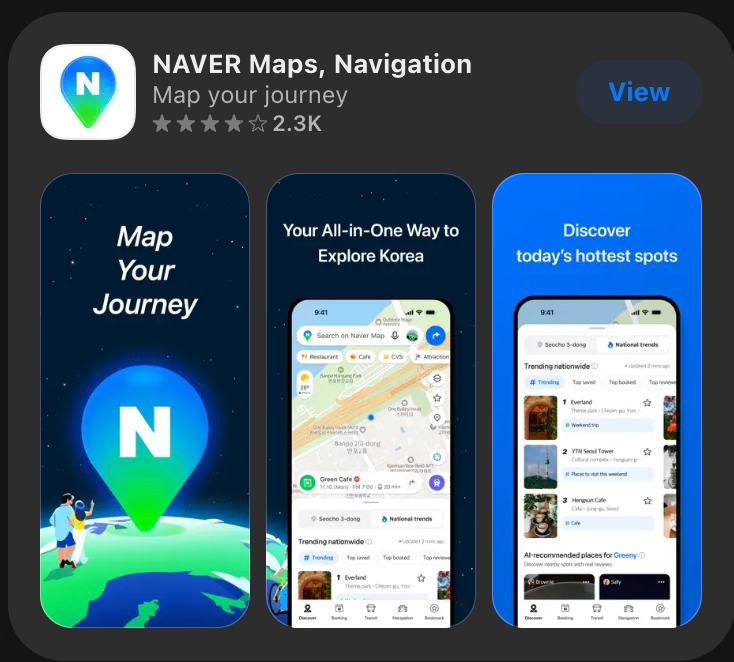
NAVER Map is the safest starting point because it combines place information with walking, driving, and public transport routes. NAVER also provides real-time transit arrival information, subway guidance, and alternative routes. Its foreign-language service includes English, Chinese, and Japanese as well as Korean. For setup and search steps, continue with the step-by-step Naver Map guide in English.
Set the interface to English before you begin saving places. On Android, NAVER’s current path is MY > Settings > Language. On iPhone, the app can direct you to the phone’s preferred-language setting for NAVER Map.
Saving is more important than downloading. Add your hotel, the airport arrival point, and the places on your first day while you still have time to resolve ambiguous names. If an English search fails, copy the venue’s Korean name or road address from its official page. Save that result so you are not repeating the search on a sidewalk with luggage.
NAVER introduced passport verification for supported bookings, orders, and payments in 2026. That may help a visitor who wants those extra functions without a Korean mobile number, but none of it is necessary for basic map and route use. Treat booking and payment inside the map as optional services, not a reason to delay setting up navigation.
KakaoMap: a capable local backup
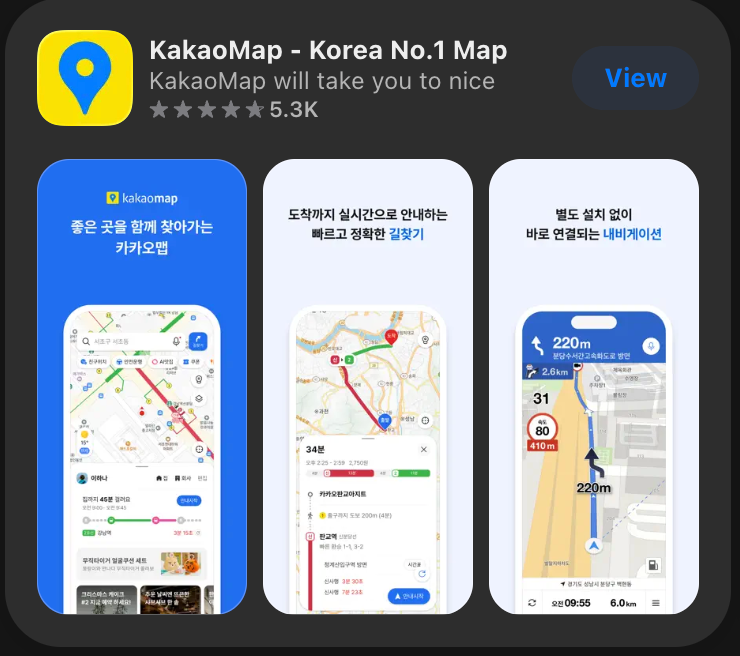
KakaoMap’s developer listing includes English and Korean, with routes for public transport, walking, driving, and cycling. It can be useful when a place appears more clearly there or when you want to compare local route results.
It does not need to be a mandatory third installation. English coverage can vary between the interface, place names, notices, and user content. Install it if you like having a second Korean map or if your own route tests favor it. Otherwise, keep NAVER Map as the main tool and save Korean destination text as the more reliable fallback.
Google Maps: keep it as a tested backup, not your only plan
South Korea conditionally approved Google’s export of high-precision map data in February 2026 under the security conditions explained at the beginning of this guide. That is a meaningful policy change, but it is not proof that every walking, driving, transit, or offline feature has already reached every device.
The practical rule is simple: do not delete Google Maps, and do not rely on the announcement alone. Before departure, test a walk from your hotel to the nearest station and one public transport route across Seoul. If the app does not provide the detail you need, use NAVER Map for navigation and Google Maps only for the tasks that work well on your phone.
Set up the phone before you fly
Installing an app is not the same as having it ready. Run this short test at home:
- Change NAVER Map to English and save your hotel under a list you can find quickly.
- Save the hotel’s Korean name, road address, and phone number in a note or screenshot.
- Plan one walking route and one subway or bus route in NAVER Map.
- Open Papago’s camera, voice, and text modes while you still have Wi-Fi.
- Download the Korean-English offline language pack. Then switch off data briefly and test what remains available.
- If you expect to take taxis, finish k.ride signup and try to register the card you intend to use.
- If you have a restaurant or train booking in mind, search for the exact restaurant in CATCHTABLE Global or the exact route in KORAIL+.
- Set Emergency Ready to English or your preferred supported language and choose the regions relevant to the trip.
The Papago offline test deserves special attention. With the language pack downloaded, text and voice translation can work without a network. Image and conversation translation do not work offline. A traveler who expects to point the camera at a menu still needs mobile data or Wi-Fi.
If you have not arranged data yet, compare the existing guide to a Korea eSIM, physical SIM, and pocket Wi-Fi before relying on any app-heavy plan.
Add taxi, dining, rail, subway, and safety tools only when needed
k.ride: add it for late arrivals, luggage, or taxi-heavy days
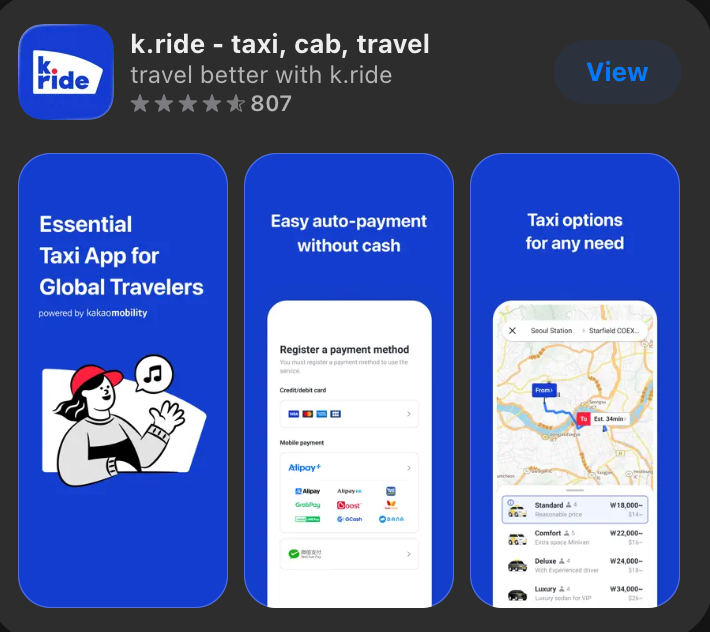
k.ride is Kakao Mobility’s service for international travelers. The current signup flow uses a phone number together with Google, Apple, or email verification. Destination search and driver chat have multilingual support, and the company says foreign-issued cards and selected overseas wallets can be registered.
That makes k.ride a better first taxi candidate than an app that assumes a Korean account or payment method. Test it before the trip. Register one card, keep a second card or cash available, and save the hotel address in Korean. Support for foreign cards describes the service, not a guarantee that every bank will approve every transaction.
You can skip k.ride if the itinerary rarely needs a taxi and you are comfortable using a hotel desk or a street taxi. It becomes more useful for a late arrival, heavy bags, poor weather, or a route with an awkward public transport connection. For the airport decision itself, compare the Incheon Airport to Seoul transport options.
CATCHTABLE Global: install it for specific restaurants, not general browsing

CATCHTABLE Global is the visitor-facing version to search for participating restaurants, make reservations, and join supported waitlists. VISITKOREA says international users can create an account with Google, Apple, or email without a Korean phone number.
Search for the actual restaurants on your list before deciding whether to keep the app. A famous restaurant may require a reservation, a remote waitlist, an on-site queue, or no app at all. The global service does not guarantee that every listing in the Korean service is available to an international account.
If most meals will be spontaneous, leave it off the phone. A saved NAVER Map list and a few nearby alternatives are more useful than an unused reservation app.
KORAIL+: add it when the trip leaves Seoul by train
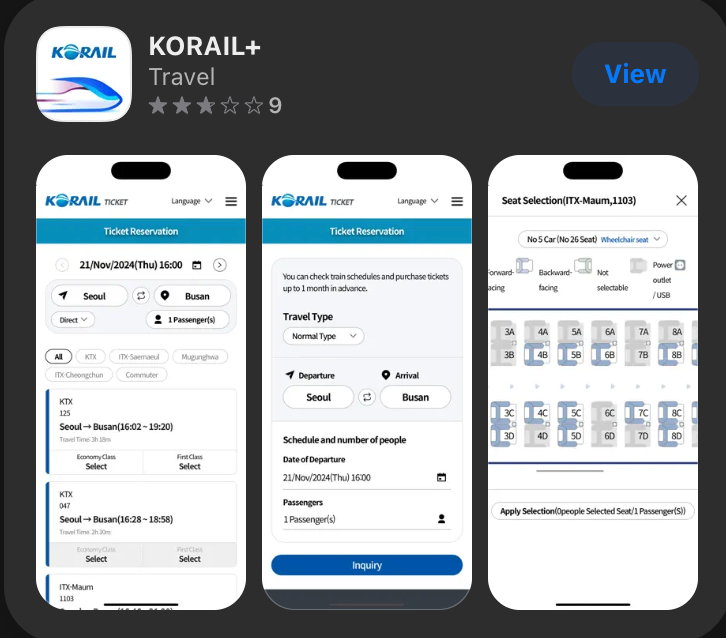
KORAIL+ is the official mobile app of Korea Railroad Corporation. The current store listing says the former KorailTalk app has been renewed as KORAIL+, with multilingual train information, ticket reservations, travel products, and a ticket list. Use it when the itinerary includes KTX or another KORAIL train to cities such as Busan, Gyeongju, Jeonju, or Gangneung.
Search a real route before departure and make sure you can reach the payment step with your intended card. Also bookmark the official KORAIL global website. The website is the cleanest backup if the app crashes, an update changes the interface, or payment stalls.
A Seoul-only trip does not need KORAIL+. Airport trains, Seoul subways, and ordinary city buses are not a reason to install an intercity rail booking app.
Subway Korea: useful when you need more than a route line
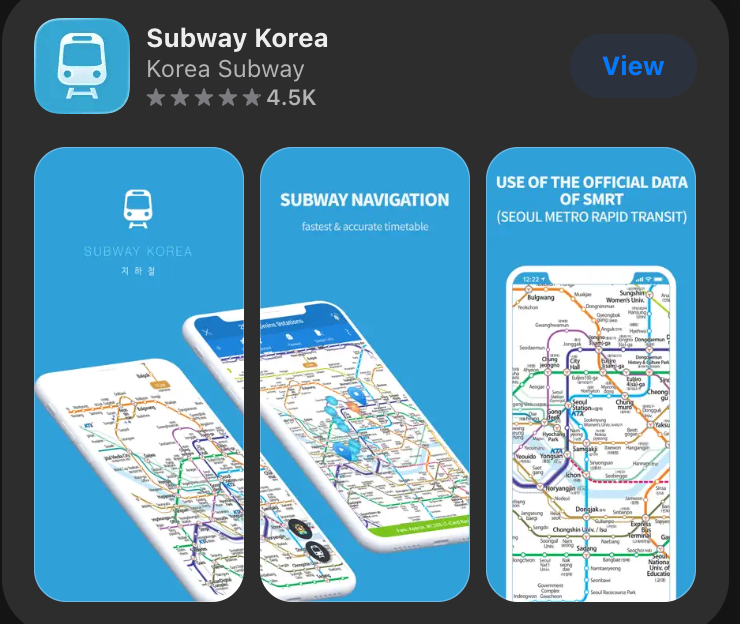
Subway Korea is a dedicated subway navigator rather than an app from one rail operator. Its current store listings cover Seoul, Busan, Daejeon, Daegu, and Gwangju and describe route options, travel time, fares, stops, transfer time, first and last trains, useful transfer cars, station facilities, and exit information.
Install it if you want a subway map designed around transfers, first and last trains, station facilities, and exits, or if the trip includes several Korean cities. For a straightforward first trip in Seoul, NAVER Map may already provide enough subway routing. The app uses public timetable data, but operating conditions can still change, so check the rail operator’s current notice when a delay or last-train decision matters.
Emergency Ready: set the language and region, then leave it alone
Emergency Ready provides disaster information in 22 languages. After installation, choose the relevant region, alert types, and language. Without that setup, the app may not deliver information in the form you expect.
It is an optional installation for a short leisure trip, but it solves a problem that ordinary map and translation apps do not. Even if you skip it, save 112 for police, 119 for fire, rescue, and medical emergencies, and 1330 for travel help.
Keep a backup that does not depend on the app
Your fallback should fit on one phone screen. Save a note or screenshot containing:
- your accommodation’s Korean name, road address, and phone number;
- the nearest subway station and the exit you plan to use;
- the first airport-to-hotel route;
- one alternate payment method;
- 112, 119, and 1330;
- the official KORAIL website if you have an intercity train;
- a contact who can receive a message if your phone or account fails.
Keep the note available offline. Downloading Papago’s language pack helps with text and voice, but it does not make camera or conversation translation work without data. A screenshot of a Korean address can still be shown to a driver, station employee, hotel desk, or tourist information center.
The final app set should match the trip, not the length of someone else’s recommendation list. For most first visits, NAVER Map and Papago form the base. The optional apps earn their place only when you can name the moment when you will use them.
Official sources
- Ministry of Foreign Affairs: the armistice regime on the Korean Peninsula
- Korea Policy Briefing: conditional approval for Google’s high-precision map data
- NAVER Corp.: NAVER Map guide for foreign visitors
- NAVER Map Help: language settings
- NAVER Corp.: passport verification for foreign visitors
- Papago Help: mobile translation features
- Papago Help: offline translation
- Kakao Mobility: k.ride for international visitors
- Korea Railroad Corporation: KORAIL+
- VISITKOREA: CATCHTABLE Global
- KORAIL global booking site
- Subway Korea: App Store listing
- Subway Korea: Google Play listing
- Seoul Metropolitan Government: Emergency Ready
Image credits
- Travelers navigating a Seoul subway station beneath bilingual signs — Huy Phan, Pexels, Pexels License. Resized proportionally from 5897×3749 to 1600×1018 and converted to WebP quality 82 without cropping, text, or overlays.
- Naver Papago App Store preview — NAVER Corp., Apple App Store. User-selected editorial screenshot; no edits.
- NAVER Maps App Store preview — NAVER Corp., Apple App Store. User-selected editorial screenshot; no edits.
- KakaoMap App Store preview — Kakao Corp., Apple App Store. User-selected editorial screenshot; no edits.
- k.ride App Store preview — Kakao Mobility Corp., Apple App Store. User-selected editorial screenshot; no edits.
- CATCHTABLE App Store preview — WADcorp, Apple App Store. User-selected editorial screenshot; no edits.
- KORAIL+ App Store preview — Korea Railroad Corporation, Apple App Store. User-selected editorial screenshot; no edits.
- Subway Korea App Store preview — Malang Studio Co. Ltd., Apple App Store. User-selected editorial screenshot; no edits.